Step 01
Register & build your profile
Sign up as a tutor and complete your public profile — bio, teaching style, languages, subjects, grades, boards you teach, and any professional links.
tutorwave.online/tutor/register-build-your-profile
Register, get verified within 24 hours, publish your hours and teach from one permanent classroom. Earnings are released at the end of each 4-week package.
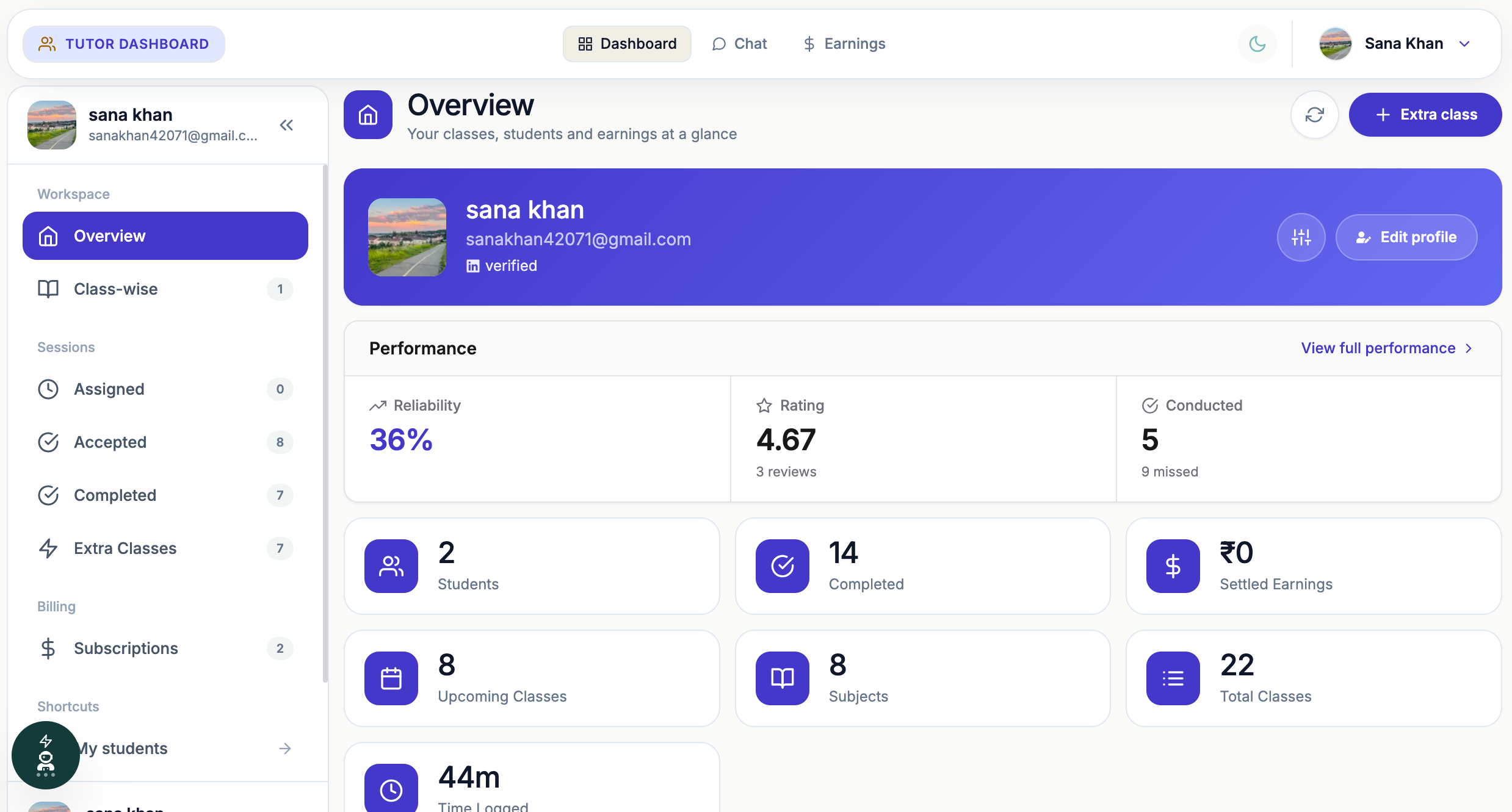
The tutor route · 7 steps
Scroll through the steps in order — the timeline lights up as you go. Tap any screenshot to view it full screen.
Sign up as a tutor and complete your public profile — bio, teaching style, languages, subjects, grades, boards you teach, and any professional links.
Upload a government-issued ID and your educational certificates, then add your payout details — Razorpay Route registration or, if that's not set up, your bank account information.
An administrator manually checks your identity document, certificates, and bank/payout details. Your dashboard shows one of three verification statuses:
A tutor's profile, subjects, books, and availability can all be filled in immediately after registering — but nothing becomes bookable by students until an administrator has manually verified the submitted ID, educational certificates, and payout details (bank account or Razorpay Route). This protects students from unverified tutors and ensures payouts go to a confirmed account. Rejected submissions stay unlisted until corrected documents are approved.
Define the subjects, class levels, and boards you teach. Under each subject in Edit Profile, add the books you teach from — book name, author, publisher, edition, number of pages, and other details. These book details appear in the subject's purchase section and on your tutor profile in the student dashboard, so students know exactly what they'll study. Then set your package price and session count, and choose whether to offer a ₹99 trial slot.
Add recurring weekly slots — day, start time, end time, and linked package. Slots only become bookable by students once your profile is Approved; while Pending or Rejected, they stay saved but hidden.
Review and accept session requests, then teach live in your permanent TutorMeet classroom. Attendance is logged automatically.
As sessions are verified as conducted, your earnings accrue in Razorpay's escrow and are released at the end of the 4-week package cycle — no manual invoicing required.
A session, start to finish
Once a package is booked, every class follows the same simple routine. Want the full list of classroom tools? See the toolkit →
Follow the money
Payments are held in Razorpay's regulated escrow, so students only pay for classes that happen and tutors are paid for verified sessions.
Step 1
The package price is shown up front and paid through Razorpay.
Step 2
Funds sit in Razorpay's regulated escrow, not with the tutor or the platform.
Step 3
Each conducted class is confirmed by TutorMeet's attendance log.
Step 4
Verified sessions are paid to the tutor. Missed sessions are refunded pro-rata to the student's original payment method.
A tutor missing a session means a pro-rated refund to your original payment method when the package is settled. Invoices for every package are available on your dashboard.
Your dashboard shows earnings as gross amount, platform fee, refunds and payout status, so you can see exactly what will be released at the end of the cycle.
Your command centre
A quick look at where every step above actually happens.
Good to know
Quick answers about verification, trials, refunds and classes.
An admin reviews your ID, certificates and payout details within 24 hours. Your dashboard shows Pending, Approved or Rejected, and a rejected submission can be resubmitted with corrected documents.
Student accounts are also reviewed by an administrator, which takes at most 24 hours. Once approved, you can book a trial or a package.
Attendance is tracked automatically. Sessions that were not conducted are refunded pro-rata to your original payment method when the package is settled.
A 15-minute introductory session with a tutor, offered where the tutor has enabled it, so you can meet them before buying a 4-week package.
Tutors add book details (name, author, pages and more) under each subject in their profile. Students see them in the subject's purchase section and on the tutor's profile before they buy a package.
No. Every tutor has a permanent TutorMeet classroom inside the dashboard, so there are no daily links to send or lose.
No. Audio, video and whiteboard are never recorded, and sessions are live only. Chat inside the live classroom is not kept after the class ends. The only things saved from a class are poll answers and Q&A, explained below.
Polls and Q&A. For a poll we save the question, the options, the correct answer if the tutor set one, and each student's answer. For Q&A we save the question, who asked it, any upvotes and the tutor's reply. This is what powers the live participation insights on your dashboard.
You see your own on your dashboard, and your tutor sees participation for their whole class. Other students cannot see your saved poll answers. Questions you post during class are visible to your classmates while the class is live.
Every step above also works in the TutorWave app for iOS and Android.
Get the appFor independent educators
Bring your existing batches to TutorWave. Register, get verified, and add your curriculum — your students can then subscribe directly.